 Formbench
App settings
Your account, help links, saving photos to the camera roll, clearing saved data and signing out.
In the app, tap your initials at the top right of the jobs list to open Settings.
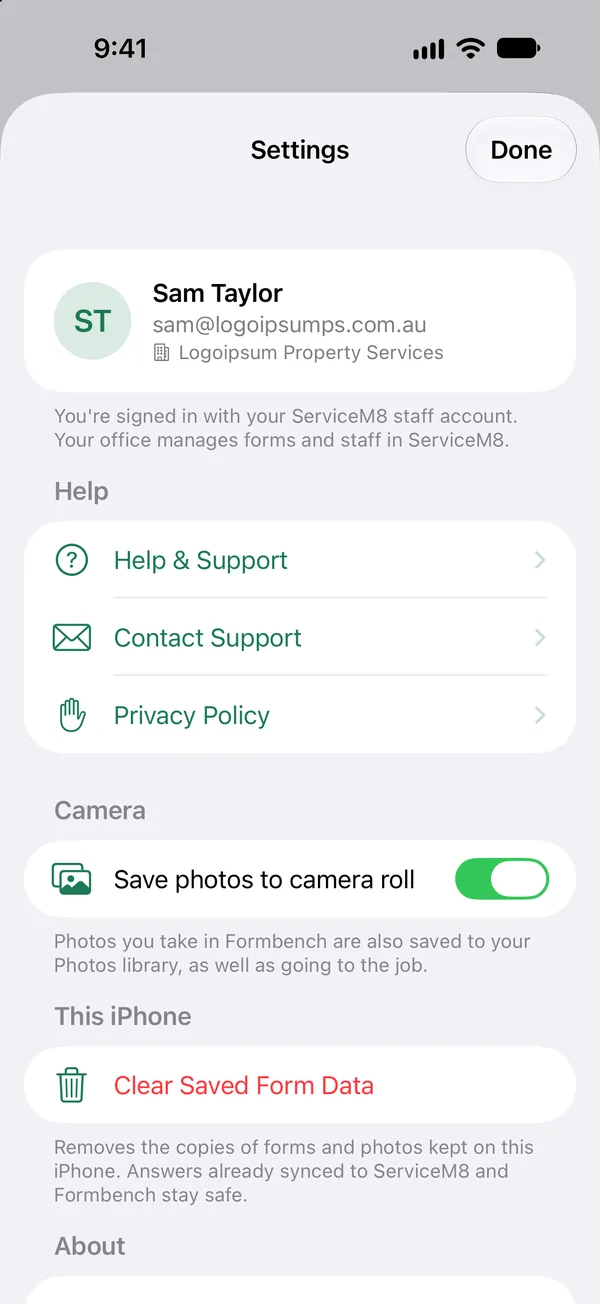
| Setting | What it does |
|---|---|
| Your account | Your name, email and business. You're signed in with your ServiceM8 staff account. |
| Help & Support, Contact Support, Privacy Policy | This help centre, an email to us with your app details filled in, and our privacy policy. |
| Save photos to camera roll | On by default. Photos you take in Formbench are also saved to your Photos library. |
| Clear Saved Form Data | Removes the copies of forms and photos kept on this phone. Answers already synced stay safe. |
| About | The app version and the server it uses. |
| Sign Out | Signs you out and removes forms saved on this phone. |
More in On the job (app)
Opening a job from ServiceM8Tap the Formbench button on the job card. The form opens straight away in your phone or tablet's browser.The jobs list and searchThe app lists your jobs from 3 days ago to 10 days ahead. Search finds any other job by number, address or client.Filling in a form on siteMove through the form a section at a time, see what's left to do, and fix anything that's missing.Completing a report, reopening and revisionsFinish the report to lock it and attach the PDF to the job. Reopen it later if something needs to change.