 Formbench
The jobs list and search
The app lists your jobs from 3 days ago to 10 days ahead. Search finds any other job by number, address or client.
What's in the list
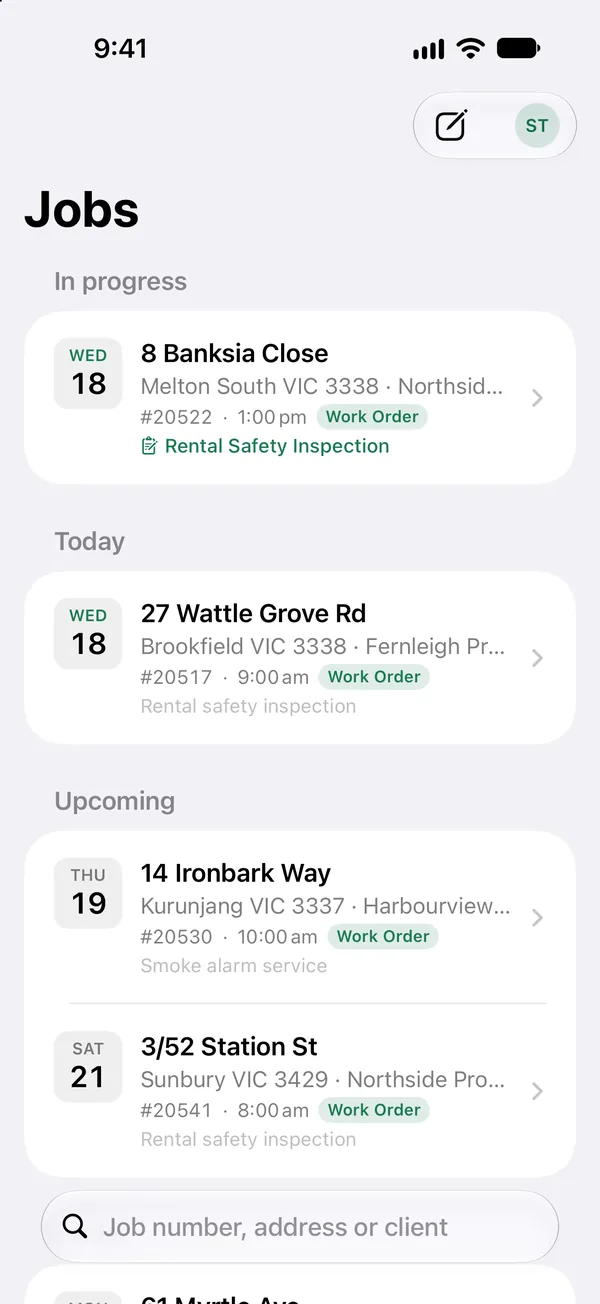
Jobs scheduled for you from 3 days ago to 10 days ahead, plus any job with a form you've started. They're grouped as:
- Not linked to a job: your offline drafts (only when you have some).
- In progress: jobs with a form you've started and not completed.
- Today
- Upcoming: soonest first.
- Earlier: most recent first.
Each job shows the date, the address, the suburb and client, the job number and time, and its status (Work Order, Quote or Completed). Forms in progress show underneath.
- Pull down to refresh.
- Touch and hold a job for Directions, Copy Address and Copy Job Number.
- Swipe right on a job for Directions in Apple Maps.
Search
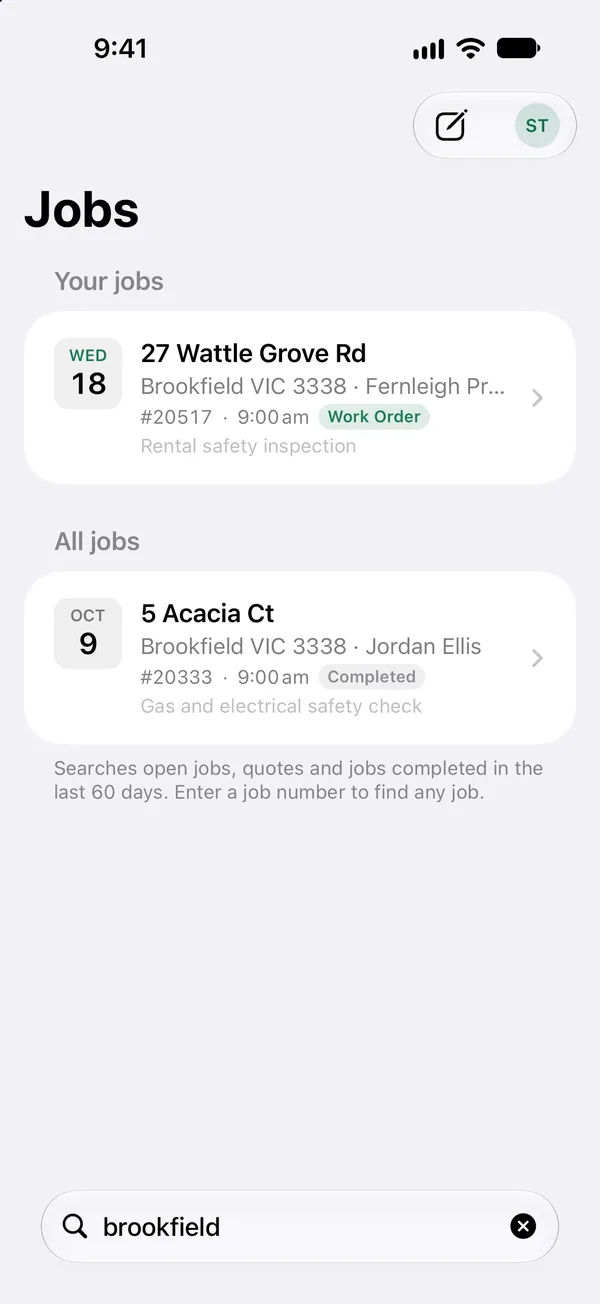
- Tap the search box at the bottom and type a job number, part of the address, or the client's name.
- Your jobs shows matches from your list straight away.
- All jobs searches ServiceM8: open jobs, quotes and jobs completed in the last 60 days.
More in On the job (app)
Opening a job from ServiceM8Tap the Formbench button on the job card. The form opens straight away in your phone or tablet's browser.Filling in a form on siteMove through the form a section at a time, see what's left to do, and fix anything that's missing.Completing a report, reopening and revisionsFinish the report to lock it and attach the PDF to the job. Reopen it later if something needs to change.App settingsYour account, help links, saving photos to the camera roll, clearing saved data and signing out.