 Formbench
Filling in a form on site
Move through the form a section at a time, see what's left to do, and fix anything that's missing.
On this page
Getting around
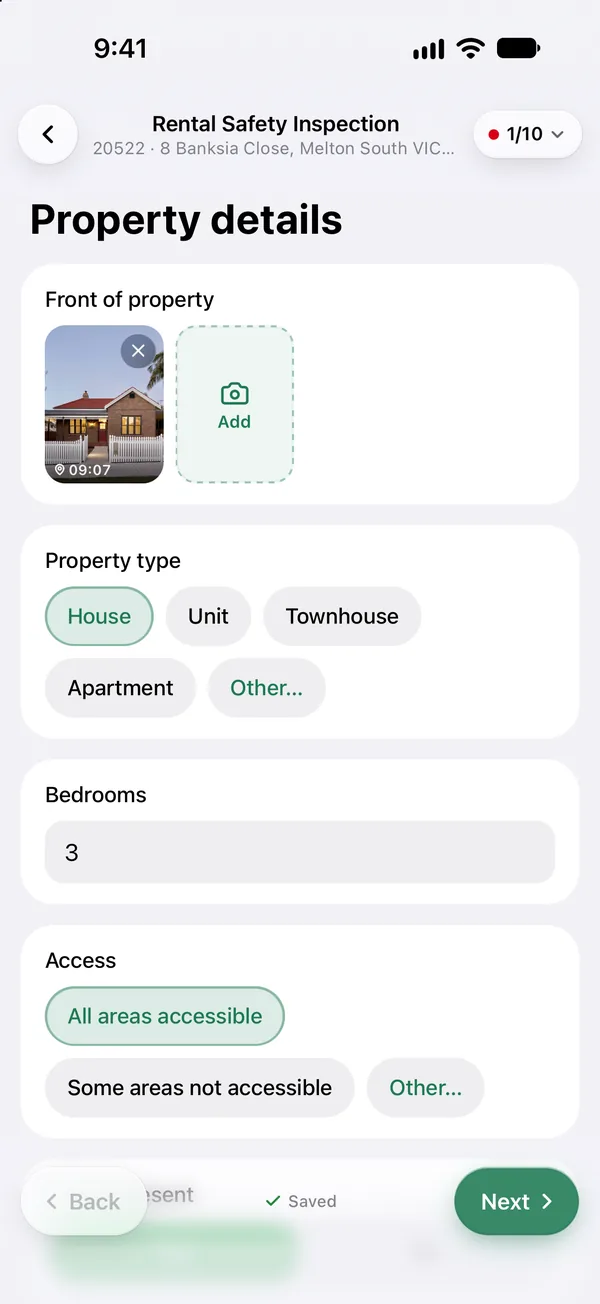
- The top shows the form name, the job number and the address.
- Use Back and Next at the bottom to move between sections.
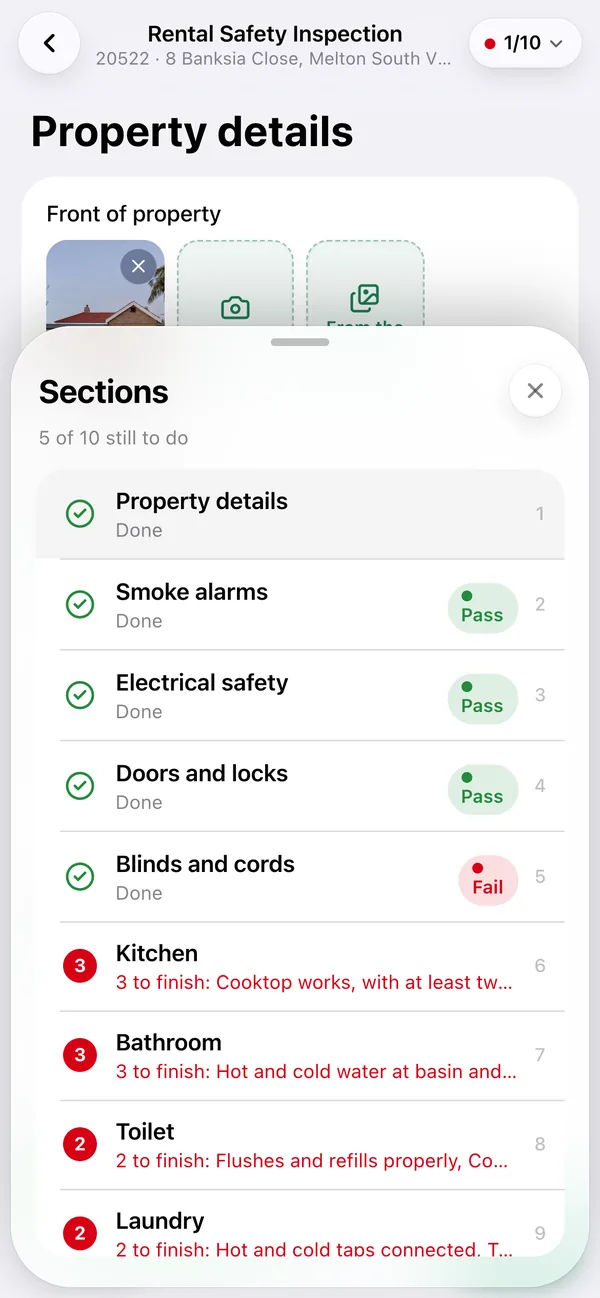
- Tap the counter at the top right (for example 3/10) to open Sections. It lists every section as Done, Not started, Skipped or how many things are left. Tap one to jump to it.
- A red dot on the counter means something still needs doing.
- Tap the arrow at the top left to go back to the job.
Answering
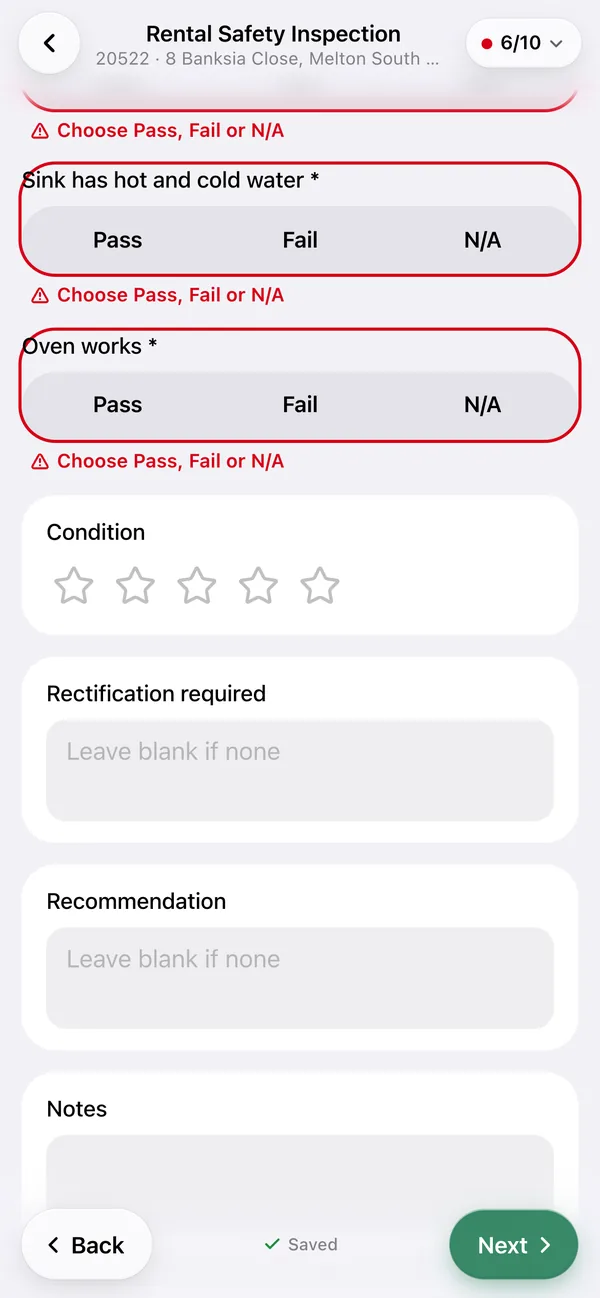
- Required questions have a *.
- Tap Pass, Fail or N/A for checks. A fail shows its defect number, for example Defect D1.
- Use the section's Overall result to pass a whole section in one tap, when the form allows it.
- If a section doesn't apply, tick Not applicable, skip this section (when the form allows it) and give a reason if asked.
- For repeating items, tap the add button, for example + Add smoke alarm, and Remove to take one out.
What's missing
Formbench doesn't nag while you're working. Once you leave a section, jump around, or tap Finish, anything missing is outlined in red with the reason, for example Choose Pass, Fail or N/A.
Saving
Everything saves as you go, on the phone and to Formbench. The status between Back and Next shows Saved, Saving… or Offline. See Working offline and sync.
More in On the job (app)
Opening a job from ServiceM8Tap the Formbench button on the job card. The form opens straight away in your phone or tablet's browser.The jobs list and searchThe app lists your jobs from 3 days ago to 10 days ahead. Search finds any other job by number, address or client.Completing a report, reopening and revisionsFinish the report to lock it and attach the PDF to the job. Reopen it later if something needs to change.App settingsYour account, help links, saving photos to the camera roll, clearing saved data and signing out.