 Formbench
Question settings: required, help text and dates
Make questions required, add help for the tech, hide them from the report, and phase in new checks from a date.
Click the arrow or the sliders icon on any question in the Form tab to open its settings.
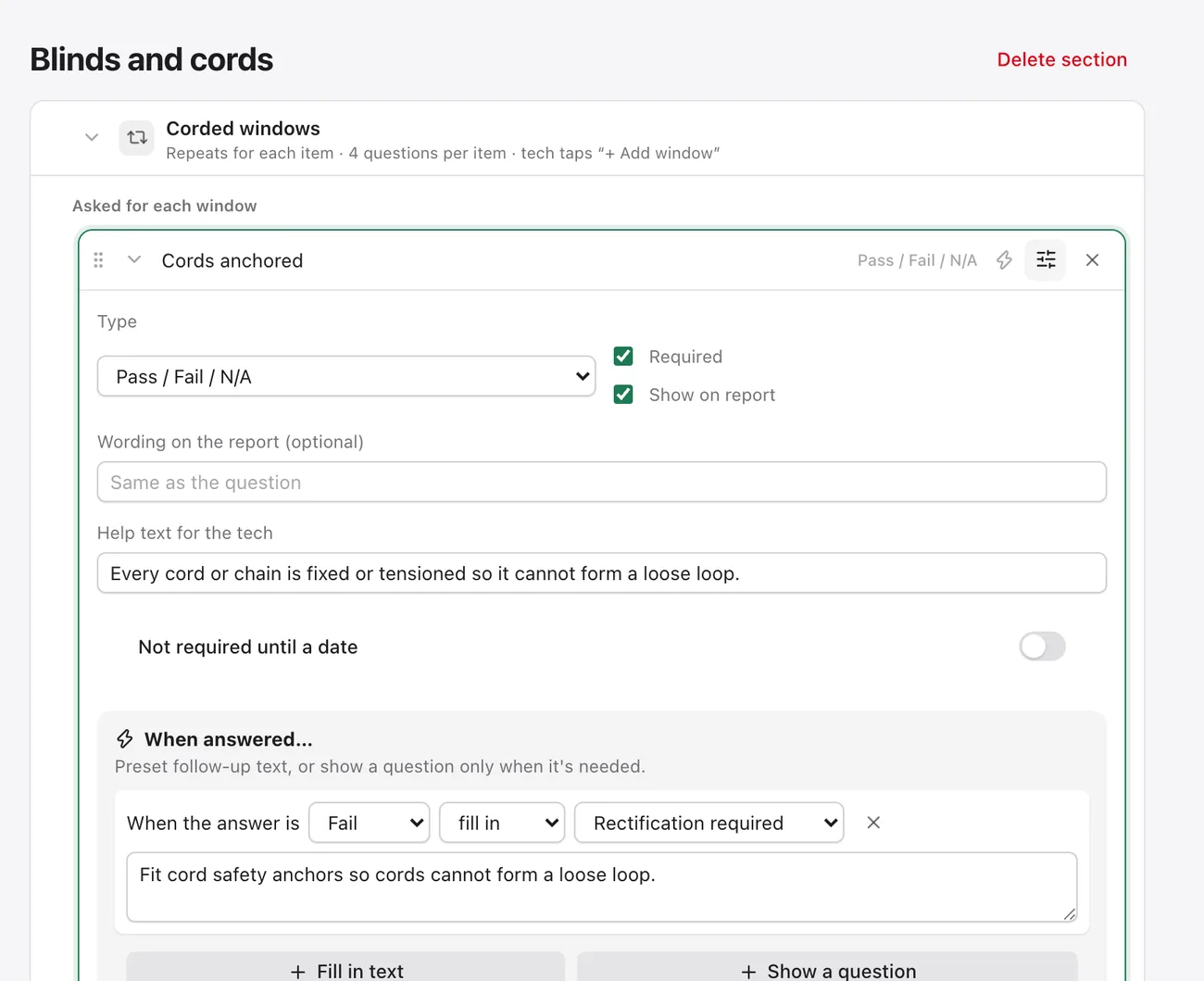
Settings every question has
| Setting | What it does |
|---|---|
| Type | The kind of answer, for example Pass / Fail / N/A or Photos. |
| Required | The tech can't complete the report until it's answered. Required questions show a * on the phone. |
| Only when a check here fails | Under Required: only required if something in the same section or item failed. Handy for photos of defects. |
| Show on report | Turn off for questions you want answered but not printed. |
| Help text for the tech | A short hint shown under the question on the phone. |
| Not required until a date | For a new rule that starts on a set date. See below. |
Report wording
Pass / Fail and Measurement questions have Wording on the report (optional). Use it when the question you ask on site is short but the report needs the full wording.
Not required until a date
Turn this on when a check becomes compulsory from a future date. Set Required from, then choose what the report shows before that date:
- Summarise: prints the question under a "Not yet required, applies from" line.
- Hide: leaves it off the report.
- Show: prints it as normal.
On the phone, the question shows Not required until the date. You can set the same date for every check in a section with the section's Checks not required until a date switch.
More in Building forms
A tour of the form builderThe five tabs of the builder, the forms menu, versions, undo and how your work is saved.Adding sections and questionsBuild the form a section at a time, add questions from the palette, and reorder everything by dragging.Repeating groups: rooms, doors and alarmsAsk the same questions for every room, door or smoke alarm, and let the tech add as many as the job needs.Pass, fail, N/A and defect numbersHow checks, section results, the overall result and automatic defect numbers work.