 Formbench
Report blocks and page elements
Everything you can put on a report page, and how to style the printed form sections.
Open the Insert tab in the Design tab to add blocks and elements.
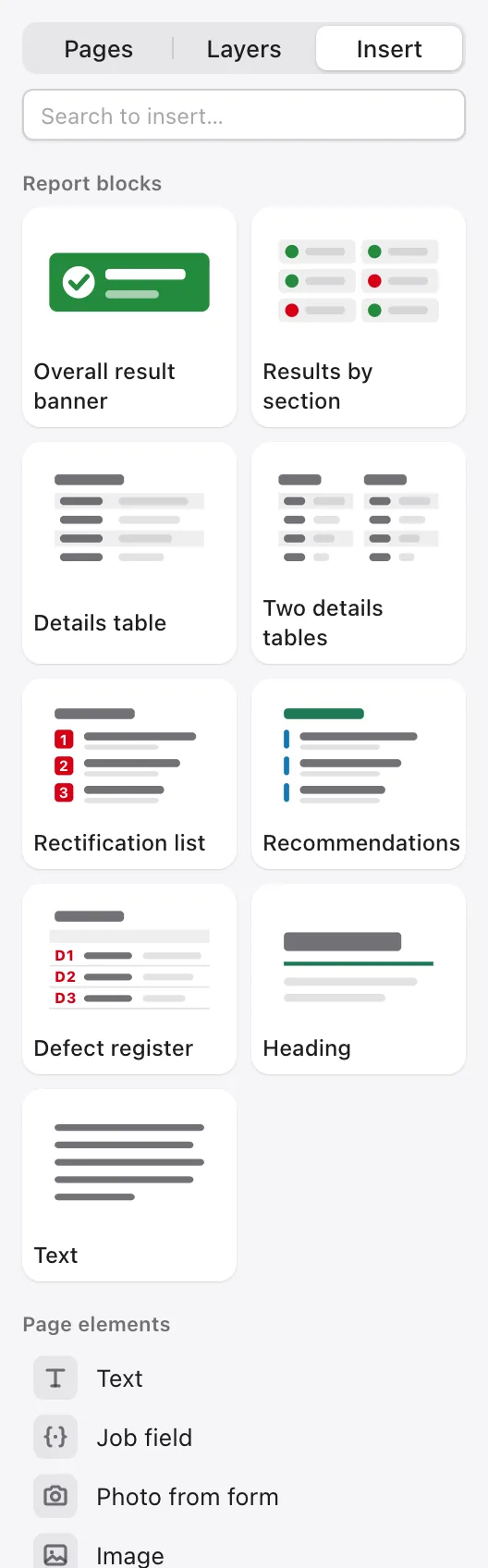
Report blocks
| Block | What it shows |
|---|---|
| Heading, Text | Your own words, with job fields mixed in. |
| Details table, Two details tables | Label and value rows, such as address, inspector and date. |
| Overall result banner | Pass or Fail for the whole report, with counts. |
| Results by section | Each section with its result. |
| Defect register | Every defect with its number, location and rectification. Can group similar defects. |
| Rectification list, Recommendations | The rectification and advice answers gathered in one place. |
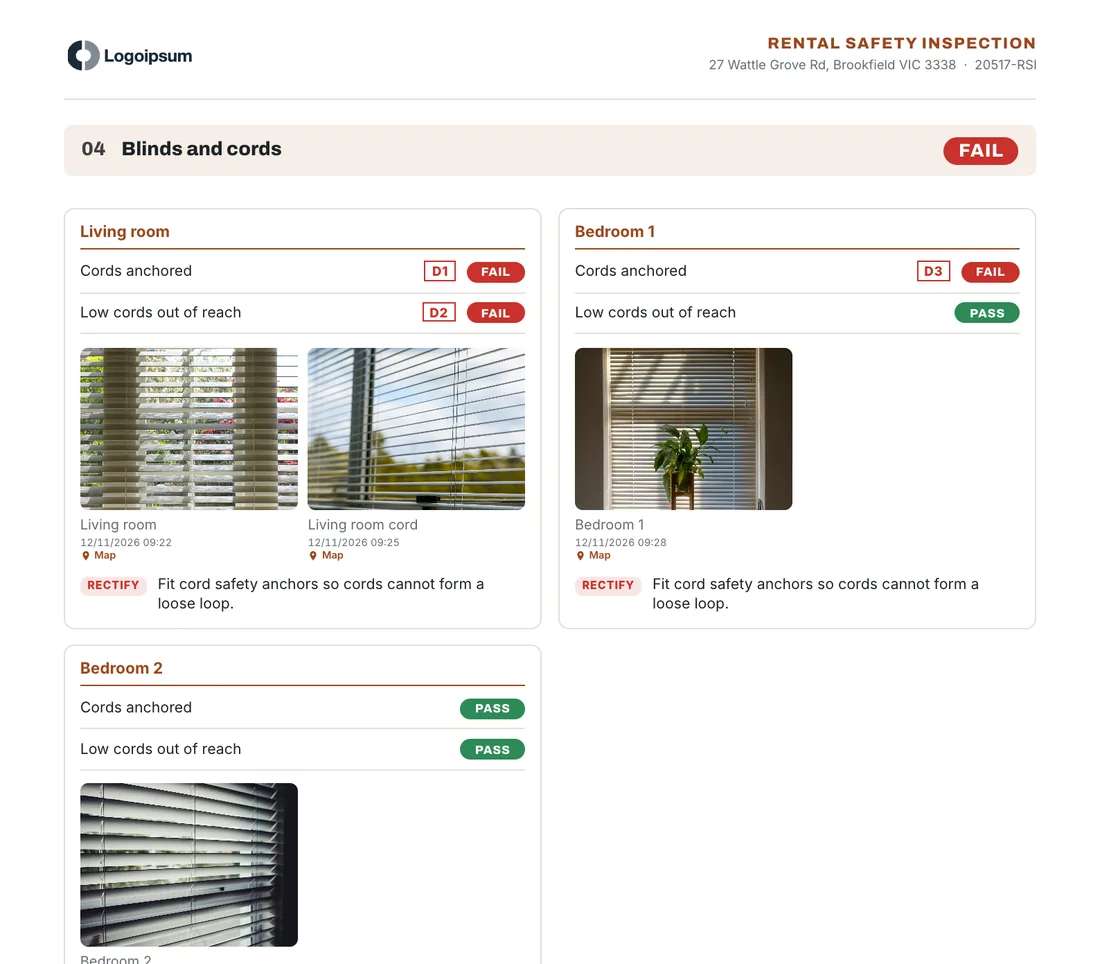
| Form sections | The questions and answers, section by section, with photos. |
| Page break, Table of contents | Flowing pages only. |
Page elements
Text, Job field, Photo from form, Image, Box, Line, Result badge, Result counts and Chart. Charts can show overall results, results per section, defects per section or the answers to one question, as bars, a donut, a pie, a gauge or a line.
Styling the form sections
Select the Form sections block to style every section at once:
- Report style presets: Classic, Soft rounded, Minimal and Bold.
- Section numbers, result badges on headings, and the heading style (solid band or underlined).
- Questions as rows or as a table, how many answers sit across the page, text size and spacing.
- Photos: how many across, captions and the Time & GPS stamp (off, under the photo, or on the photo).
- Repeating items: cards, underline, band or plain, with photos in each item or gathered at the end.
More in Designing the report
The report designerDesign the PDF in the Design tab with a live preview built from sample answers.Cover pages and flowing report pagesLay out a fixed cover to the millimetre, and let report pages flow to fit however many rooms and photos the job has.Colours, fonts, your logo and the PDF file nameMake the report look like your business, and name the PDF the way you want.Job details and fields from ServiceM8Pull the job address, client, staff member, your company details and answers into the report.