Formbench
Cover pages and flowing report pages
Lay out a fixed cover to the millimetre, and let report pages flow to fit however many rooms and photos the job has.
On this page
A report has two kinds of pages. You can add as many of each as you need with + Fixed page and + Flowing pages in the Pages tab.
Fixed pages
A fixed page is a free canvas, ideal for a cover or a certificate. Place text, job fields, images, the property photo, a result badge or a chart exactly where you want them. Fixed pages are labelled Fixed layout.
Flowing pages
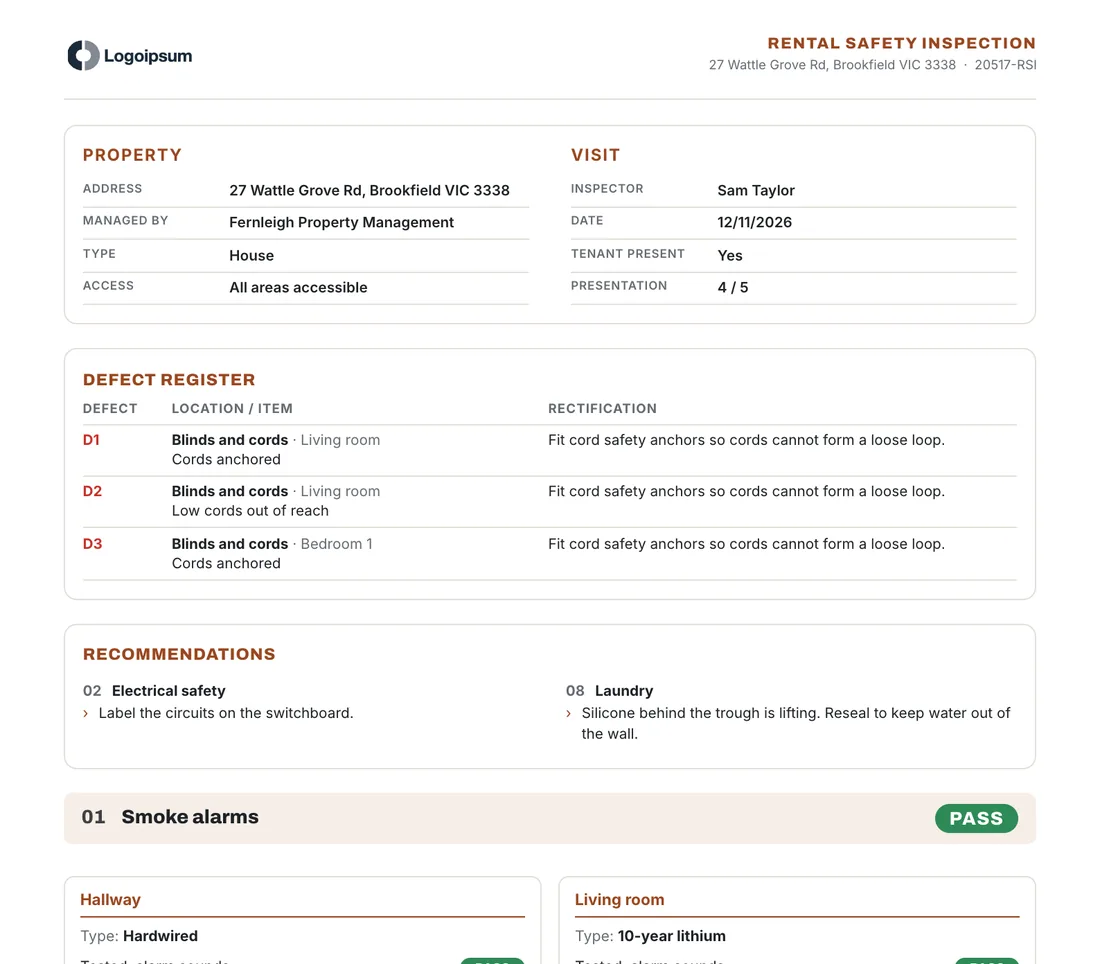
Flowing pages hold the body of the report. They're labelled Flowing · length depends on the answers, because a job with ten rooms makes more pages than a job with two.
- The header and footer repeat on every page. Put your logo, report title, address and page numbers there.
- The dashed Content frame is where the report flows. Set its position and size in millimetres.
- Add report blocks into the frame: details tables, results, the defect register, form sections and more.
Page breaks
Click the flowing page in the Pages list to choose Sections and page breaks:
- Each section on its own page
- Keep sections together (moves a section to the next page if it won't fit)
- Flow continuously
You can also Repeat the section heading on continued pages and add a Table of contents.