 Formbench
Marking up photos
Draw arrows, circles, boxes and labels on a photo to point out the problem.
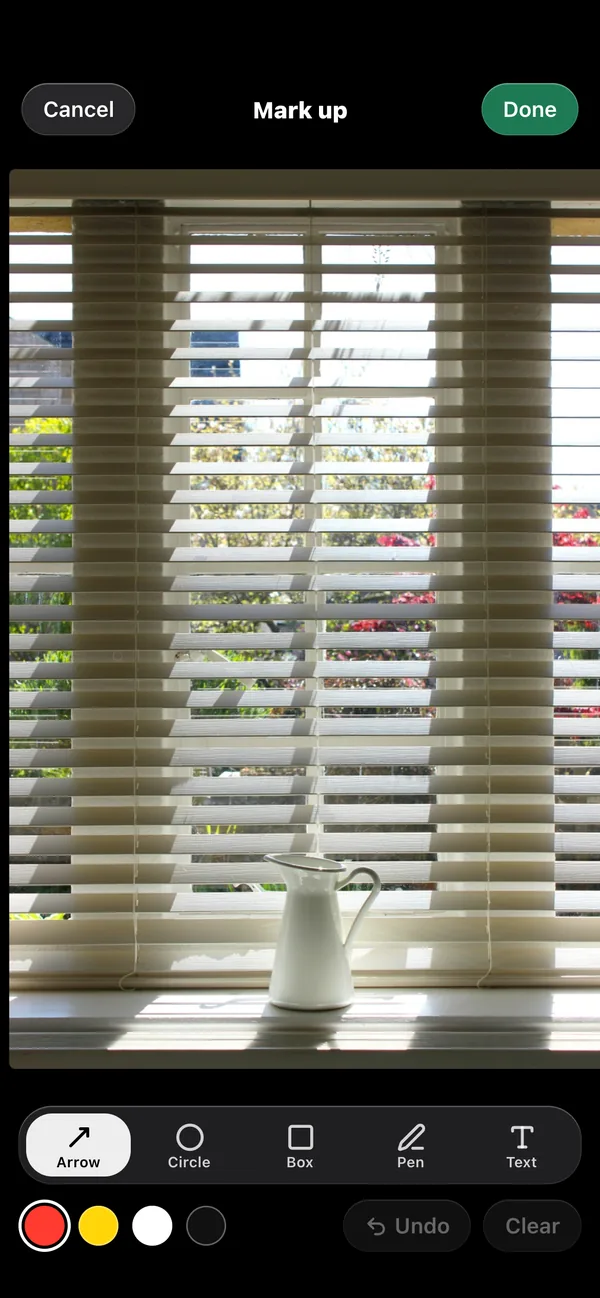
- Tap a photo in the form. The Mark up screen opens.
- Pick a tool: Arrow, Circle, Box, Pen or Text.
- Pick a colour: red, yellow, white or black.
- Draw on the photo. For text, type a label and tap Add.
- Use Undo or Clear to fix mistakes.
- Tap Done to save, or Cancel to leave it as it was.
The original photo is kept, so you can open the markup again later and change it. Both the marked-up photo and the original upload to the job.