 Formbench
Signatures, site location and ratings
How the Signature, Site location and Rating questions work on the phone and in the report.
On this page
Signature
- The tech taps Tap to sign.
- If the question asks for a name, they type the name of the person signing.
- They sign in the box with a finger. Clear starts again.
- They tap Done. The signature, name and date show on the form and in the report.
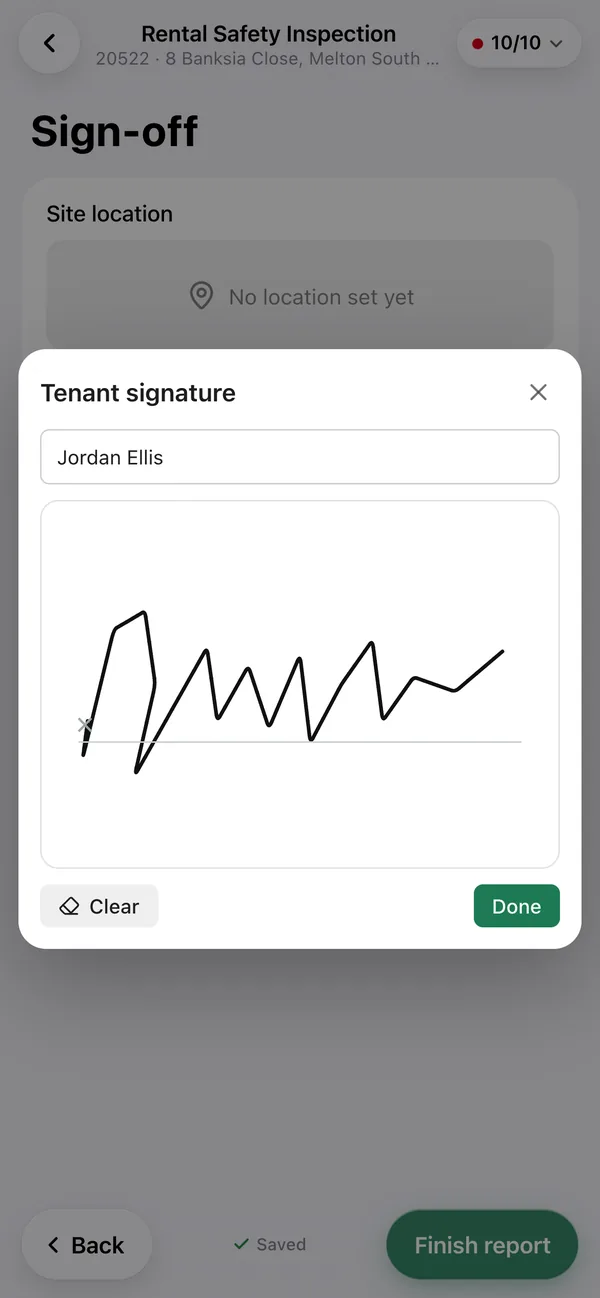
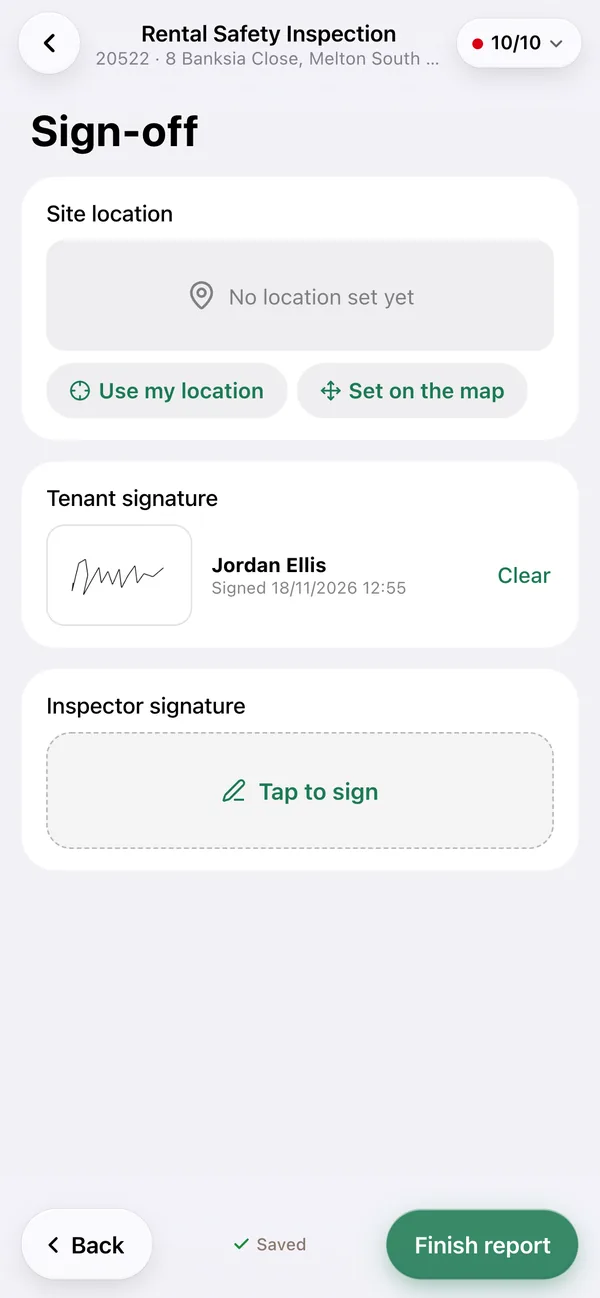
Turn on Also ask for the signer's name in the question's settings to collect a name with the signature.
Site location
- Use my location sets the pin from the phone's GPS.
- Set on the map opens a map. Move the map so the pin sits on the site, then tap Use this spot. Switch between Map and Satellite at the top.
- Job address uses the job's address from ServiceM8, when it has one.
The report shows a small map, the coordinates and a Map link to an interactive map.
Rating
Choose Out of 5 or 10, and whether the tech answers with Stars or a Slider. Stars print as stars with the score, for example 4 / 5. A rating can trigger answer rules too.
More in Question types
All question typesEvery question type Formbench has, what the tech sees and what prints on the report.3D room scans and panoramasCapture a room in 3D with LiDAR, or take a guided 8-photo panorama that the phone stitches into a 360° view.ServiceM8 assets and QR label scanningLink a section or each item in a repeating group to a ServiceM8 asset. On site the tech scans the asset's QR label or chooses it from the site's assets.