Formbench
How Formbench works
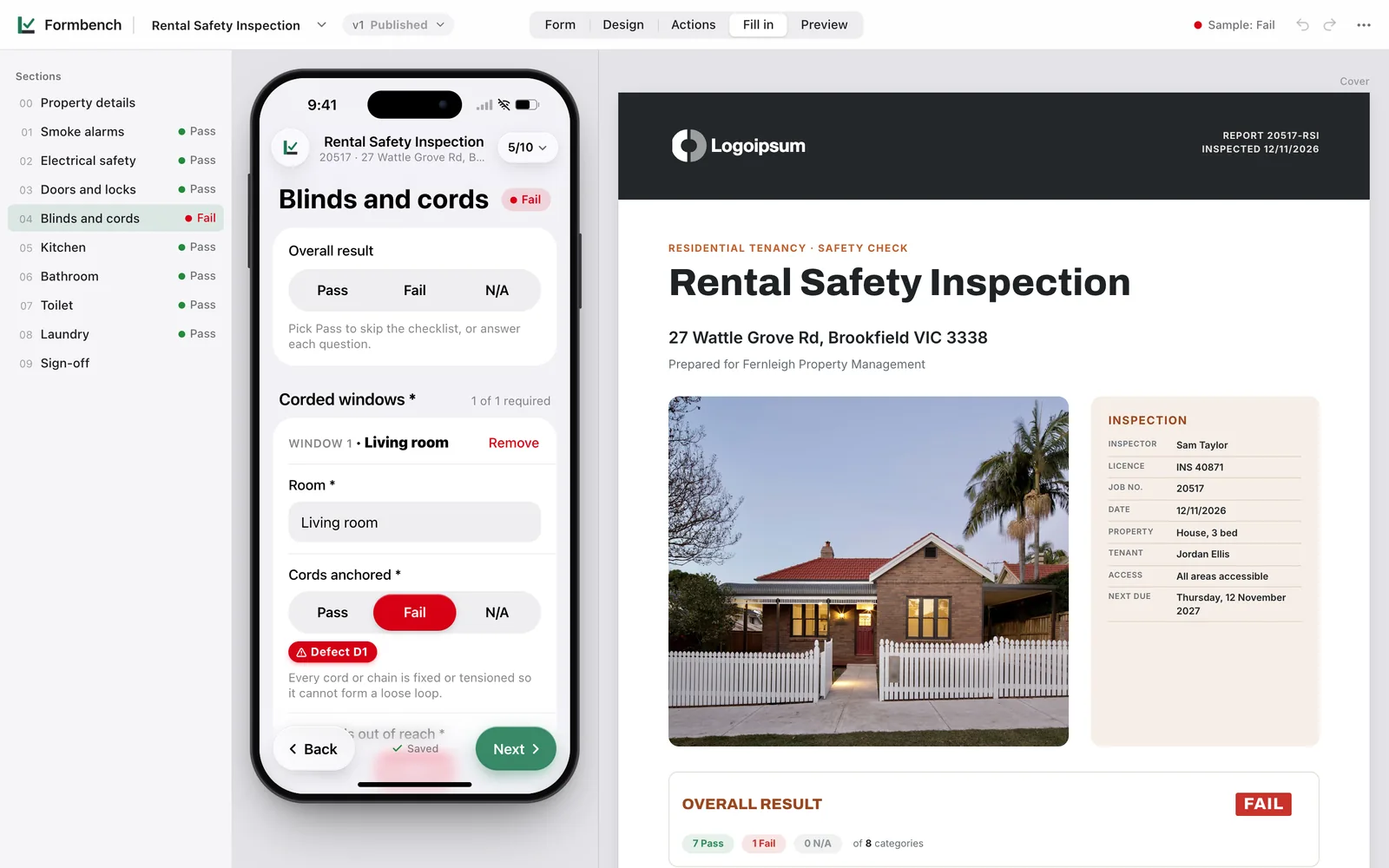
The big picture: the office builds forms and designs the report, techs fill them in on site, and the PDF lands on the ServiceM8 job.
Formbench is a forms and inspection report add-on for ServiceM8. It is made by OverGeek, an independent developer. It is not made or supported by ServiceM8.
There are two sides to it: the web builder, where the office builds forms and designs the PDF report, and the Formbench app on iPhone and iPad, where techs fill the form in on site.
- 01Build the formIn the web builder: sections, questions, pass/fail checks and photos.
- 02Design the reportLay out the PDF with a live preview, then publish a version.
- 03Fill it in on siteTechs tap Formbench on the ServiceM8 job and fill it in on the phone.
- 04PDF on the jobCompleting the form attaches the PDF to the job and adds a diary note.
For the office
- Open Formbench from the ServiceM8 Add-ons menu to get to the builder.
- Build forms with sections and questions, or import a ServiceM8 form (.sm8f) you already use.
- Design the report: a cover page, a defect register, results, photo grids, your colours and fonts.
- Publish a version. New reports use the latest published version.
For techs
- Open the job in ServiceM8 and tap the Formbench button. The form opens in the Formbench app.
- Work through the form one section at a time. Photos upload to the job as you take them.
- No signal? Answers are kept on the phone and sync when you are back online.
- Tap Finish report, then Complete report. The PDF is attached to the job and a note goes in the job diary.